Mac · iPad · BYOK · Stays on your device

Write side by side with AI,
in a notebook of your own.

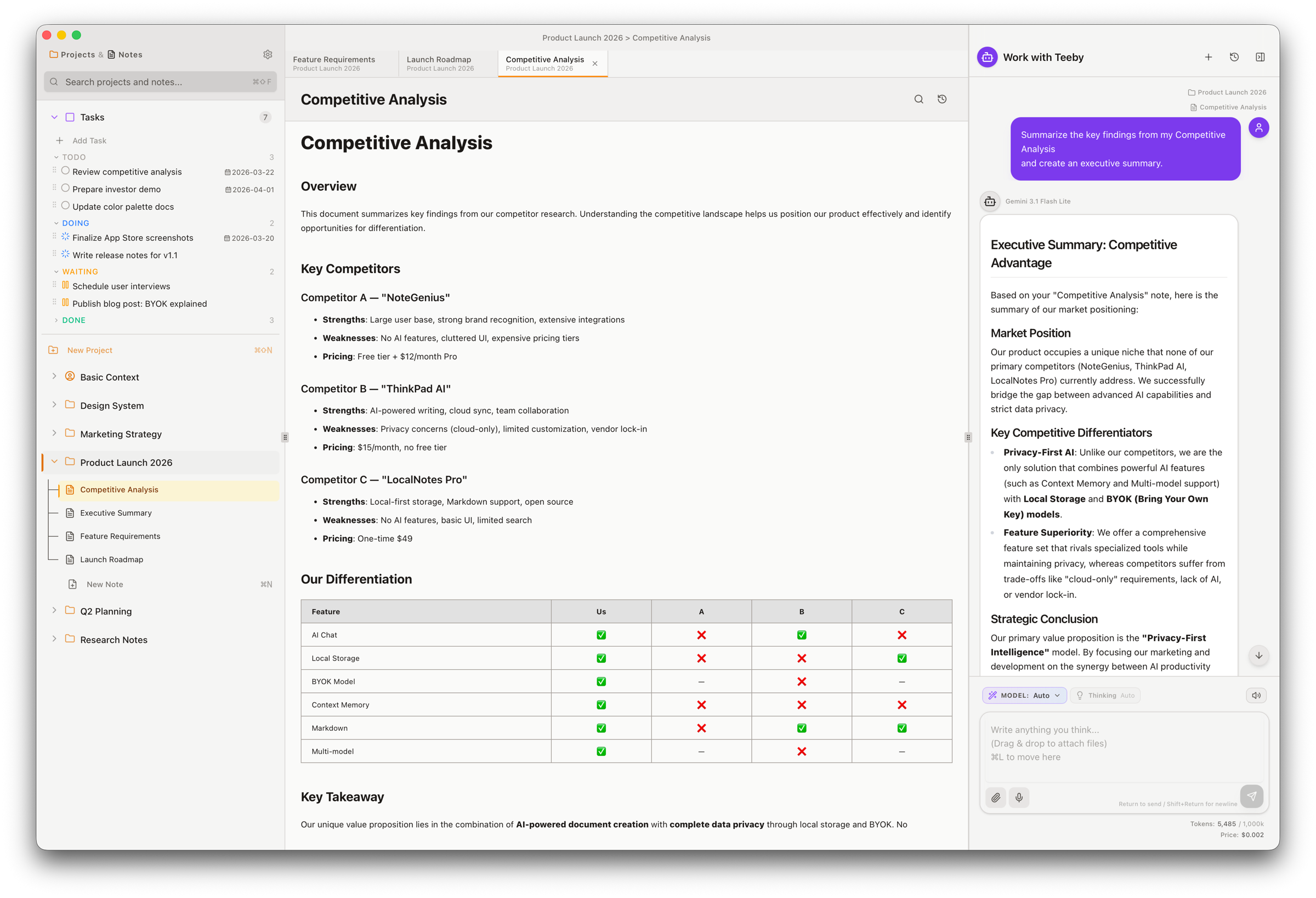
Teeby is a Mac / iPad note-taking app that turns the notes you've already written into context for drafting business documents with AI. Your notes live on your device. Your API key stays in your hands. No server in between — peace of mind, by design.

Mac iPad A Universal App for both
Free download Gemini / Claude support macOS 14 / iPadOS 17 or later
"Summarize this meeting note in 3 lines" — from past me
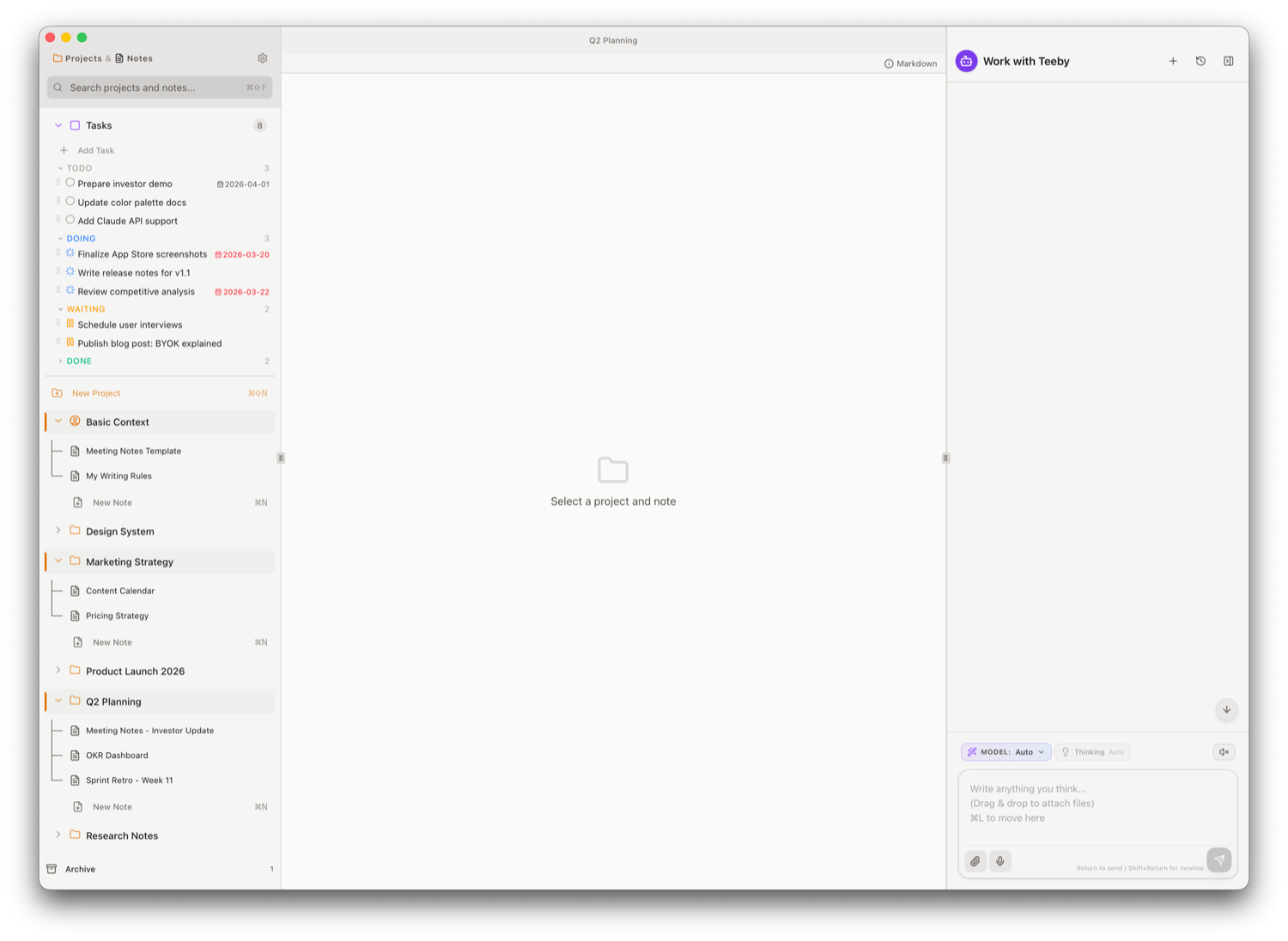
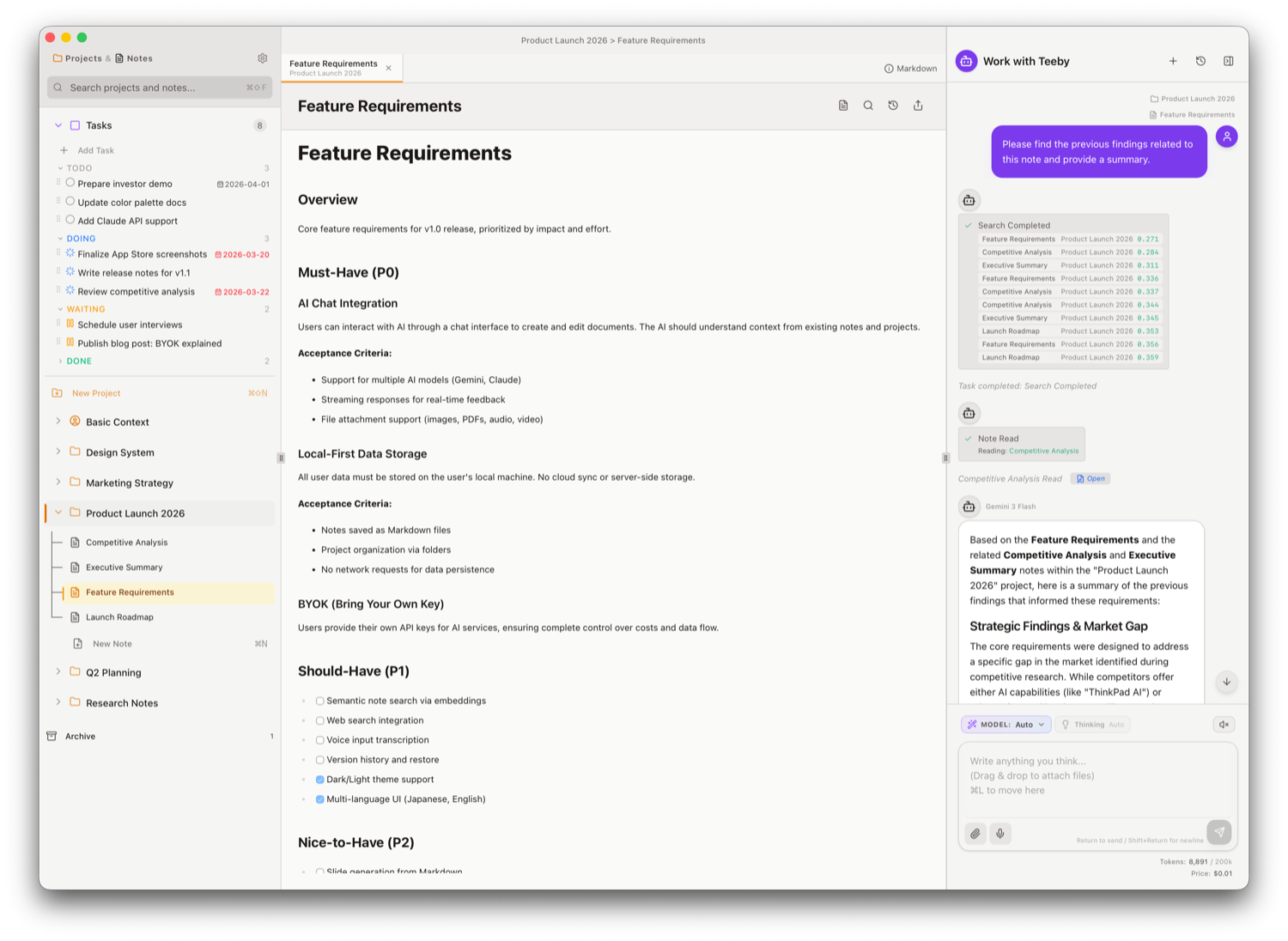
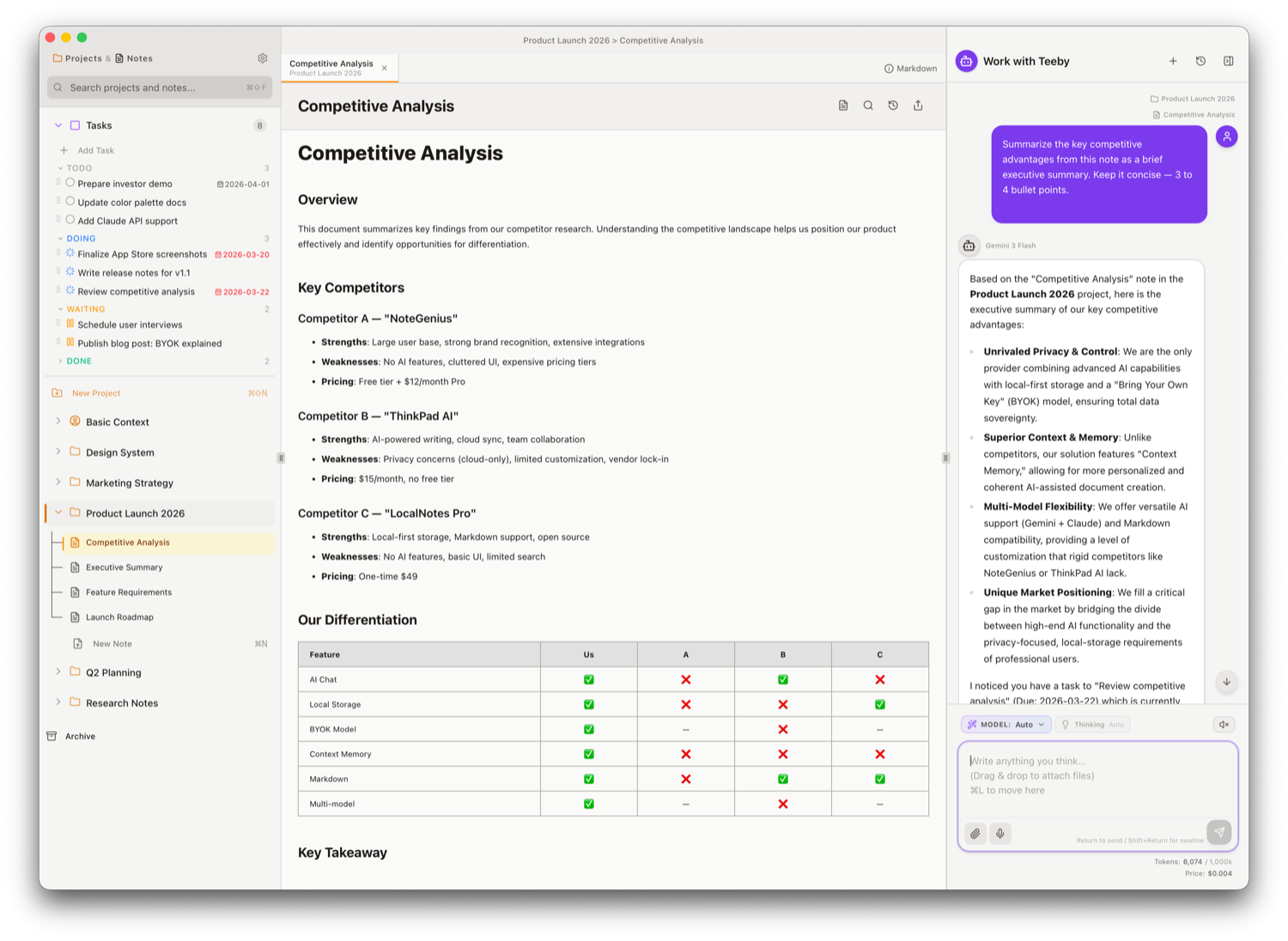
The Teeby app screen
— What Teeby is reaching for

The notes you've kept are already context.
Build the next document on top of them.

Meeting notes, half-formed plans, fragments from past research. Teeby lets the AI read across the notes scattered through your folders and use them as the foundation for your next document. Instead of searching from scratch, you start from what you already know. A note-taking app that changes where business writing begins.

01 · Co-editing

Finish a single document side by side with AI.

Mix the parts you let AI write with the parts you polish yourself, and bring one document to the finish together. Not a chat suggestion. Not a comment thread. A new shape for writing.

Weekly Report
This week, we wrapped final adjustments for the beta release.
Identified and resolvedeliminated 3 performance bottlenecks.
UX testing surfaced several5 improvement requests.
Next week we'll prioritize fixesstabilization.
AI drafted
You polished
02 · Context

The more you use it, the more it's yours.

The AI references your past notes automatically. No need to re-explain the background — it already knows.

Note you're writing
Last week's minutes
Project overview
Research notes
AI replies with the full background in mind
03 · Deep Research NEW

Just ask, and a cited report arrives in your hands.

Say "look into ___" and the AI plans on its own, browses the web, and pulls a cited research report straight into a note. Estimated cost and run time appear up front, so you can ask it as casually as a chat message.

Run Deep Research
"Look into the recent trends in the AI chip market"
Estimated cost
$1–$3
Estimated time
15–20 min
Decline Use regular search Get the plan
04 · Plan & tasks

Even hard work is steady, step by step.

Complex requests are broken into steps before the AI begins. Progress is kept as tasks, so you can pick up right where it left off.

Read reference notes01
Draft the outline02
Write the body03
Format citations and sources04
05 · All-in-one

Every feature you need, all in one place.

From Deep Research to everyday memos. Web search, voice input, file attachments, image OCR, cross-note search, planning, task management, second opinion. Every tool that supports document writing — in a single app.

Deep Research Web search Voice input File attachments Image OCR Cross-note search Planning Task management Second opinion Markdown
06 · Models

Let the AI decide, or pick it yourself.

In auto mode, the AI judges the best model for every prompt. You can also lock a model manually. BYOK means Gemini and Claude work with your own API keys.

GGemini 3.1 ProPRO
GGemini 3 FlashFAST
GGemini 3.1 Flash LiteLITE
CClaude Opus 4.7OPUS
CClaude Sonnet 4.6SONNET
07 · Privacy

Notes stay on your device, and only there.

What you write is never sent to a Teeby server. Your notes simply accumulate, quietly, on your Mac or iPad.

App sandbox on your device ● Storage
api.anthropic.com / generativelanguage.googleapis.com ● Direct
teeby-server.com Never routed

Here's what happens on screen.

Five scenes that show the real feel of using Teeby.

01
Simple to start

Simple by design, ready in a moment.

No fussy setup, no complicated controls. Jot down the idea or fragment as it comes, and the AI handles the summarizing, formatting, and polishing — until it reads like a real document.

"Just by leaving notes, I end up with a document that actually reads well."
The clean Teeby note screen
Simple UI — start right away
02
Co-writing with AI

Build any document together with AI.

From the chat right beside the page, request a draft or a quick rewrite — and watch the AI shape your thinking into the document, line by line.

AI chat alongside the document
Work with AI right next to the document
03
Context, automatic

Past notes quietly become context.

Notes and files from the same project are picked up automatically. No more pasting in "read this first" one item at a time.

Related notes are referenced automatically
Related notes are loaded automatically
04
Right tool for the job

Reach for the right tool, every time.

Web search, Deep Research, cross-note search, planning, task management, second opinion. The AI reads the situation and chooses the tool itself.

The AI switching between tools
AI switches between tools as needed
05
Everything stays home

Local storage means even sensitive documents stay safe.

Note contents live only on your Mac or iPad. AI requests go to Gemini / Claude directly with your own API key. No Teeby server in between.

Local storage and privacy
Stored as Markdown

Where it really shines.

From minutes to daily reports — business writing moves much faster with AI by your side.

i

Meeting minutes

From a list of bullets, the AI shapes proper minutes — drawing on past meetings to bring even the discussion points into focus.

ii

Briefs & proposals

The AI grasps the project's history, then produces a piece grounded in its background and goals — one that actually persuades.

iii

Research

Look something up on the web in the moment, or hand it off to Deep Research and receive a fully cited report.

iv

Brainstorming

Just jot down what comes to mind. The AI links it back to past ideas and draws the next thought out.

v

Technical docs

Design notes and specs come together in order. Attach images or PDFs to keep technical context intact while you write.

vi

Daily reports & retros

Daily entries are organized for you, with progress and observations stacking up — ready to roll into a weekly or monthly summary.

— Privacy, by default

A place where even sensitive material feels safe.

Using AI doesn't have to mean trusting everything to the cloud. Teeby is built to run on just two things: your device (Mac / iPad) and your own API key.

Notes are stored fully locally

Your notes are never sent to a Teeby server. Backups and sync stay entirely within your own setup.

BYOK — runs on your own API key

AI requests go directly to Gemini / Claude. Pricing and terms stay between you and each provider.

No relay server in the middle

Teeby never relays your traffic, and no content logs are kept — so even confidential material is safe.

Frequently asked questions

The questions we hear most often about Teeby — answered.

What is Teeby?
Teeby is a Mac / iPad note-taking app that turns your existing notes into context for finishing documents alongside AI. It comes with Deep Research, planning, task management, second opinions, web search, voice input, image OCR, and cross-note search. Notes stay fully local, and the BYOK (Bring Your Own Key) model talks directly to Gemini or Claude.
Is there a fee?
Downloading from the App Store is free, and you can use Teeby for free up to 10 notes. To create and manage more than that, an in-app purchase (a one-time premium upgrade) unlocks the limit. There is no monthly subscription. AI features use the BYOK (Bring Your Own Key) model, so your Gemini or Claude API key is used directly — AI usage charges follow each provider's pricing and are billed to you on a usage basis.
Where are my notes stored?
Note contents are stored only inside the app sandbox on your device (Mac or iPad). They are never sent to a Teeby server. Backups and sync stay entirely within your own setup.
What is Deep Research?
Just say "look into ___" and the AI plans on its own, browses the web, and writes a cited research report straight into a note. You can review the estimated cost and time before it runs. A paid Gemini API tier is required.
Which AI models are supported?
Gemini 3.1 Pro / 3 Flash / 3.1 Flash Lite, plus Claude Opus 4.7 / Sonnet 4.6. You can use auto mode (the best model is chosen on every prompt) or pick a model manually.
What are the system requirements?
macOS 14 or later, or iPadOS 17 or later. Mac runs on both Apple Silicon and Intel.
Free download · macOS 14 / iPadOS 17 or later

Start your next document with Teeby.

On Mac or iPad, drop in your API key and you're up and running in 5 minutes.